
Guide · Android / iPhone
How to save recipes from Instagram, TikTok and websites in one place
You find pasta on Instagram, a dessert on TikTok and a good soup on a blog. Keep their links in one collection instead of searching three apps later. In CheekCache, save the recipe URL, give it a clear title and tags, and return to the original content when you cook.
Download CheekCache →Save your first recipe step by step
Open the actual recipe
Choose the specific post, Reel, video or recipe page. An author’s profile link does not lead to the same content.
Send the link to CheekCache
Use Share and choose CheekCache in the system app list. If the source cannot share its URL that way, copy the link and add it manually.
Give it a recognizable title
Replace a generic “New post” with something like “Tomato pasta”. A clear title is easier to find and recognize in your collection.
Tag the topic
Add a meal or occasion tag such as dinner, dessert or party. You can also add a color. Start with a simple system.
Save and return when you cook
Find the recipe by title or filters. Open the saved URL to watch the video or read the author’s instructions.
Where can you collect recipes from?
Instagram and Facebook
Posts, Reels and videos with meal ideas. Share the specific content URL.
TikTok and YouTube
Short recipes and longer instructions. Keep the video link to watch again.
Pins with inspiration. Save the Pin, or open the author’s website and save that address for the full instructions.
Food blogs and recipe websites
Share the page from your browser or copy the recipe URL.
Messages and email
Someone sent you a recipe? Keep the content link from their message.
Example: dinner and something sweet for the weekend
This is an example of organization, not a ready-made recipe collection. Choose your own content from your favorite sources.
| Your title | Source | Example tags |
|---|---|---|
| Tomato pasta | dinner · try later | |
| Lemon cake | TikTok | dessert · weekend |
| Mushroom soup | Food blog | dinner · try later |
| Yogurt dip | YouTube | party · weekend |
When looking for dinner, use the dinner filter to see Instagram and blog recipes together. For weekend plans, use the weekend tag. Tags connect the topic regardless of the original app.
Simple organization you can maintain
Start with a few tags
Dinner, dessert, breakfast and party are enough to begin. Add more when they actually help you find something.
Mark what you want to try
A try later tag separates new ideas from recipes you have tested. After cooking, change the tags in the link editor.
Do not rely only on thumbnails
An image helps when the source lets it load. Clear titles and tags still work when a preview is unavailable.
Keep a collection backup
You can export a JSON backup. It backs up CheekCache entries, not videos or entire recipe websites.
What do saving, the collection and filters look like?
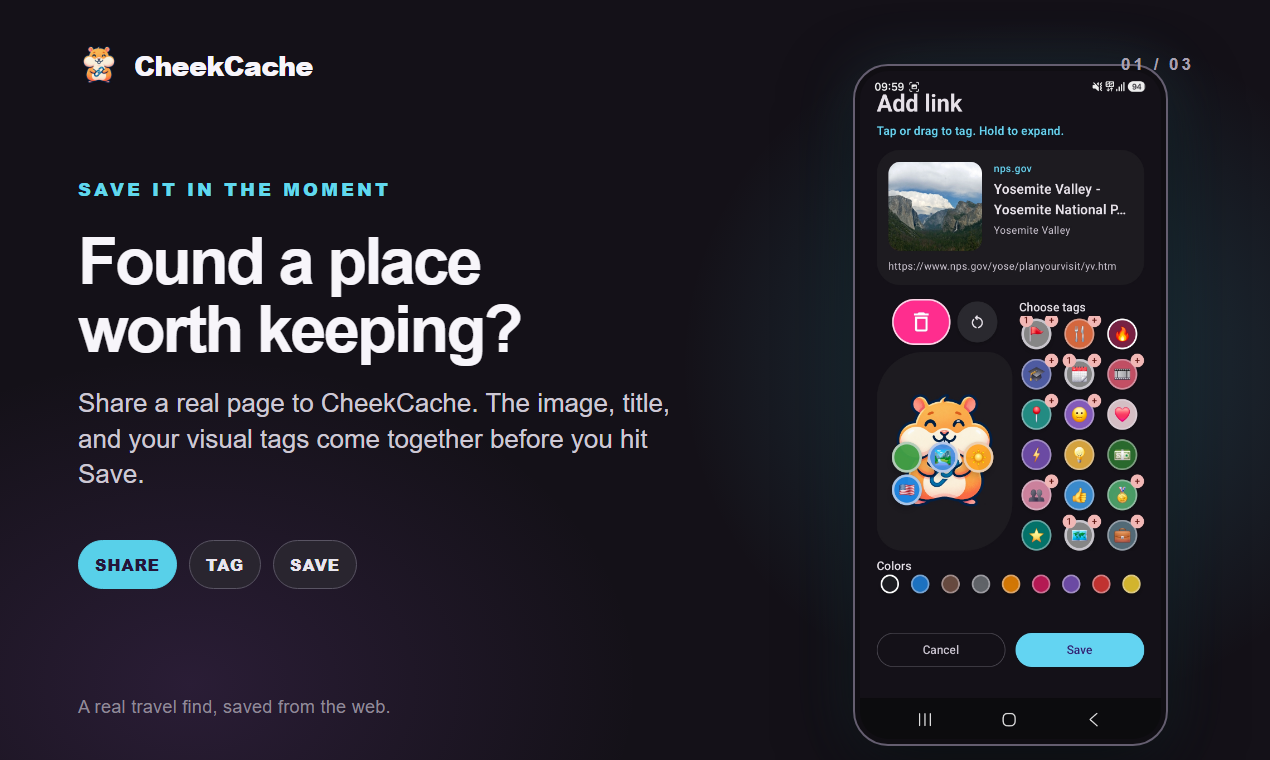
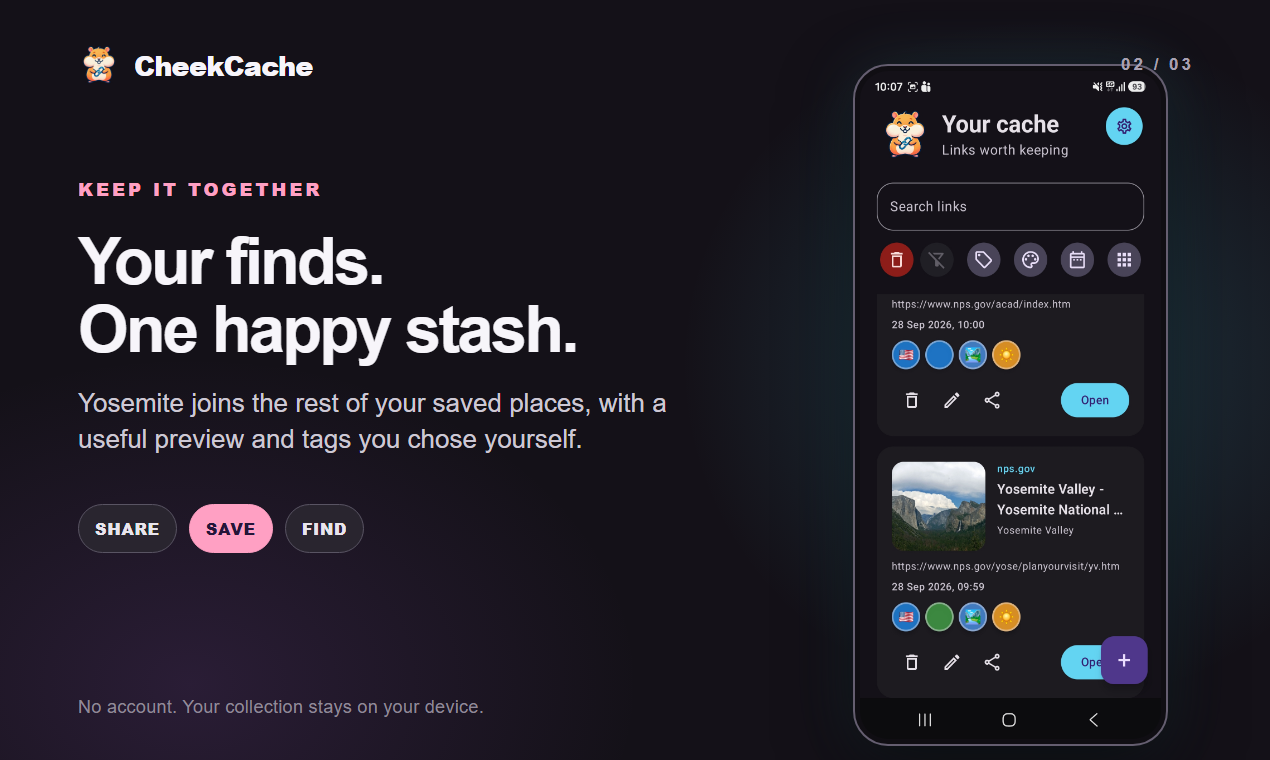
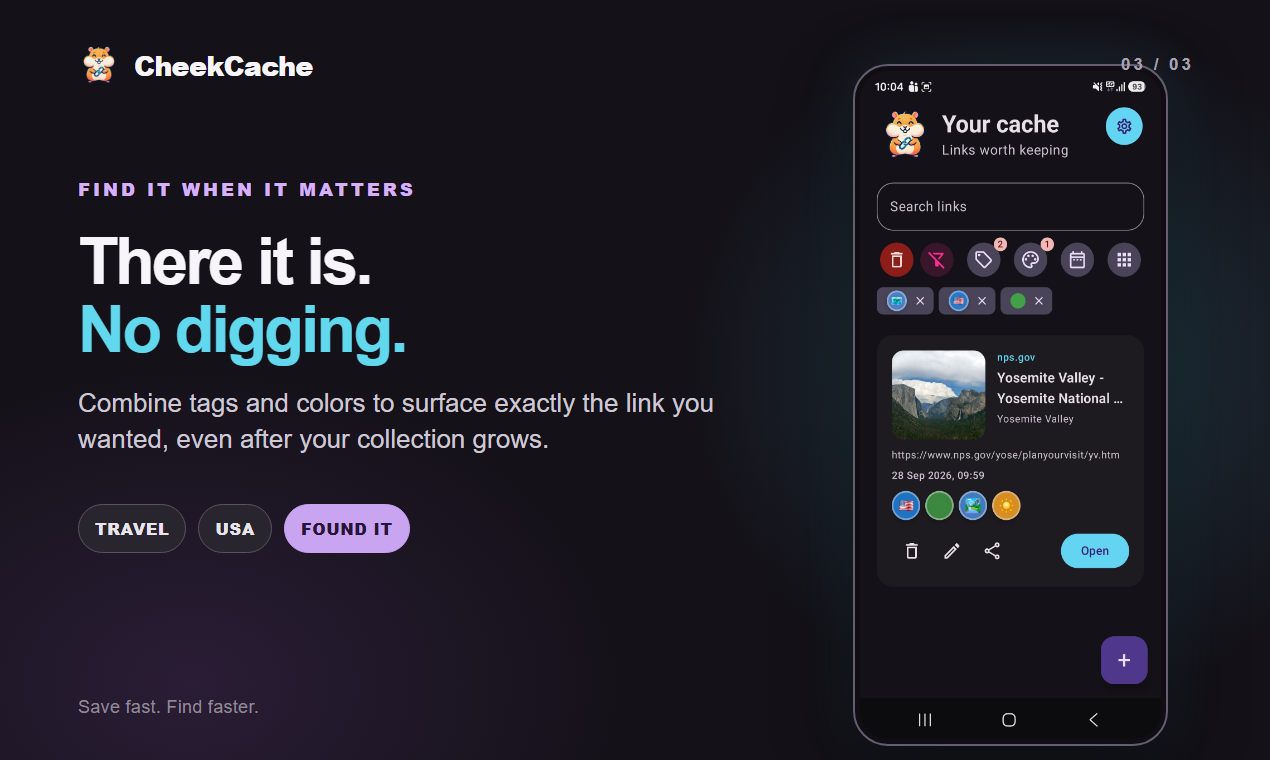
Real Android screens in English show general link handling, not the example recipe collection above. The iPhone layout may differ.
Questions before your first save
Does it extract ingredients from a Reel?
No. CheekCache saves the link and available information about it. Read or watch the ingredients and instructions in the original content.
What happens if the author deletes the post?
The saved link can remain in your collection, but it cannot restore deleted content. CheekCache does not archive the full page or video.
Can I save a recipe from a private account?
You can keep an available URL, but opening it still requires access and sometimes login in the original app. Its preview may be unavailable.
Do I need an account?
No FFOX account is required for your local collection. It stays on your phone; the app does not automatically sync it through an FFOX cloud.
Is it free?
Yes. CheekCache is available on Android and iPhone and includes advertising to support development.
Download CheekCache
Android · iPhone
Download CheekCache →